


Recommended Revenue Cycle Management Software in 2026
- Updated Date Aug 14, 2026
- Revenue Cycle Management
- Follow
Choosing the right revenue cycle management software can help healthcare practices manage claims, payments, denials, patient billing, reports, and daily revenue cycle tasks more efficiently. The right platform gives your team better visibility into how money moves from patient registration to final payment.
But not every RCM platform is built for the same type of organization. A small clinic may need a simple system for claims, scheduling, and patient payments, while a large hospital may need a full enterprise revenue cycle platform with patient accounting, reporting, and advanced workflow control.
In this guide, we compare the best revenue cycle management software of 2026 based on pricing, flexibility, practice size, key features, ease of use, and how well each platform supports day-to-day revenue cycle operations.
What Is the Best Revenue Cycle Management Software in 2026?
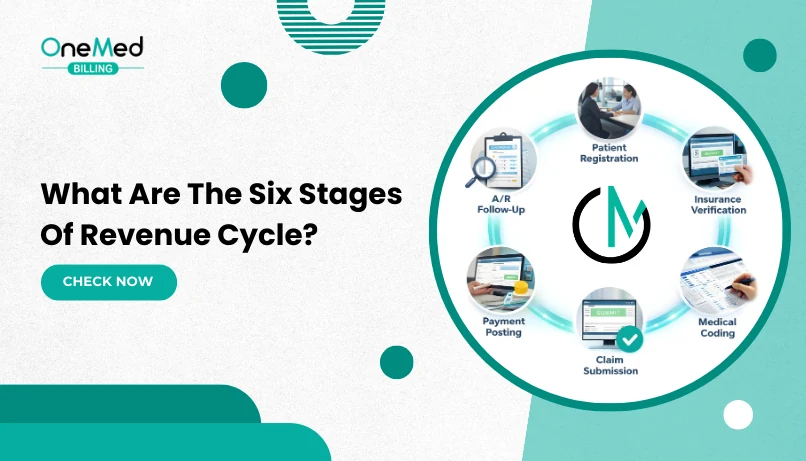
The best revenue cycle management software in 2026 is the one that helps your practice control the full payment cycle, from eligibility and claim creation to denial tracking, payment posting, A/R follow-up, patient payments, and reporting.
There is no single best RCM platform for every healthcare organization. The right choice depends on how complex your revenue cycle is, how many claims you manage, how many locations or providers you support, and whether your team needs basic billing tools or deeper operational visibility.
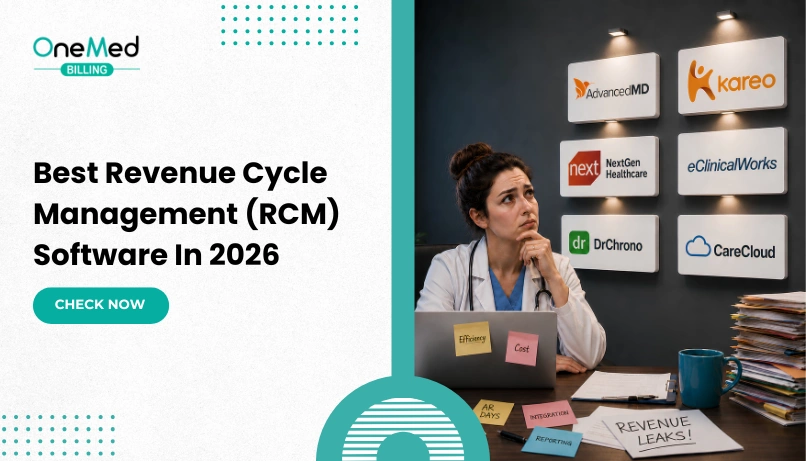
For small practices, Tebra/Kareo and DrChrono are better fits when the main need is simple claims management, scheduling, patient payments, and day-to-day practice operations without a heavy system.
For growing practices, AdvancedMD and CareCloud are stronger options when the practice needs better reporting, claim tracking, payment visibility, automation, and more control over daily RCM work.
For specialty and ambulatory practices, NextGen Healthcare and eClinicalWorks work well when billing depends on specialty workflows, connected EHR data, referrals, modifiers, payer rules, and stronger reporting.
For large group practices, AdvancedMD, NextGen Healthcare, and CareCloud can support higher claim volume, multiple locations, larger teams, and more detailed revenue cycle oversight.
For hospitals and health systems, Epic Systems and Oracle Health are stronger choices because they are built for enterprise revenue cycle operations, patient accounting, department-level workflows, and large-scale financial reporting.
| Practice Type | You Fit Here If… | Best RCM Software Options |
|---|---|---|
| Small Practice | You run a solo or small clinic with one location, a small admin team, moderate claim volume, and need basic RCM support for claims, payments, and scheduling. | Tebra/Kareo, DrChrono |
| Growing Practice | Your patient volume, claim volume, and admin workload are increasing, and you need better reporting, automation, payment tracking, and workflow control. | AdvancedMD, CareCloud |
| Specialty Practice | Your revenue cycle is more complex because of specialty codes, modifiers, prior authorizations, payer rules, documentation needs, or frequent denials. | NextGen Healthcare, eClinicalWorks |
| Ambulatory Practice | You manage outpatient visits and need EHR, scheduling, patient records, claims, billing, and reporting connected in one system. | eClinicalWorks, NextGen Healthcare |
| Large Group Practice | You manage multiple clinicians, multiple locations, high claim volume, larger teams, and need stronger RCM visibility across the organization. | AdvancedMD, NextGen Healthcare, CareCloud |
| Hospital or Health System | You need enterprise-level EHR, patient accounting, department workflows, advanced reporting, and full revenue cycle management across large operations. | Epic Systems, Oracle Health |
Top Revenue Cycle Management Software Compared
Before choosing revenue cycle management software, practices should compare more than just the brand name. The right RCM platform should match your practice size, claim volume, specialty needs, reporting requirements, ease of use, budget, and daily revenue cycle workflow.
The table below compares the top revenue cycle management software options in 2026, including who each platform is best for, its pricing model, key strength, and the type of healthcare organization it fits best.
| Software | Best For | Pricing | Key Strength | Best Fit |
|---|---|---|---|---|
| AdvancedMD | Growing private practices | Per-claim pricing options start around $0.87- $1.74 per claim for PM | Cloud-based RCM, practice management, EHR, reporting, claims, scheduling, and patient engagement | Small to mid-size practices |
| Tebra / Kareo | Small independent practices | Public pricing ranges from $49 - $799/month per provider | Simple claims, billing, scheduling, patient management, and practice operations | Solo and small practices |
| NextGen Healthcare | Specialty and multi-location practices | Custom quote | Specialty workflows across EHR, PM, claims, patient experience, and revenue cycle operations | Specialty groups and larger practices |
| eClinicalWorks | Ambulatory practices | EHR with Practice Management listed at $599/month per provider | Connected EHR, claims, reporting, patient portal, billing, and practice management | Ambulatory and multi-provider practices |
| DrChrono | Small cloud-based practices | Quote-based; extra billing fees may apply | Cloud EHR with scheduling, documentation, claims, and billing workflows in one system | Small practices and mobile-friendly teams |
| CareCloud | Practices needing cloud-based RCM visibility | Custom quote | Practice management, billing visibility, patient management, EHR integration, and revenue cycle workflow support | Growing practices and multi-location clinics |
| Epic Systems | Large hospitals and health systems | Custom quote | Enterprise EHR, patient access, referrals, authorization, reporting, and revenue cycle workflows | Hospitals and health systems |
| Oracle Health | Hospital revenue cycle and patient accounting | Custom quote | Clinically connected patient accounting and cloud-enabled enterprise revenue cycle workflows | Large hospitals and enterprise networks |
Pricing can vary based on provider count, claim volume, modules, specialty, implementation, training, integrations, and support needs. Practices should confirm final pricing directly with each vendor before making a decision.
Detailed Review of Well-Known Revenue Cycle Management Software in 2026
The comparison table gives a quick overview, but the right RCM software should be judged by how well it supports real revenue cycle work, not just by features or brand name.
Below, we review each platform based on its best fit, decision value, pricing model, public reviews, and where practices should be careful before choosing it. This will help you understand which RCM software fits your practice size, claim volume, workflow, budget, and daily operational needs.
1. AdvancedMD

Website - https://www.advancedmd.com/
Best for
Growing private practices that need better control over claims, scheduling, reporting, patient payments, A/R visibility, and daily revenue cycle operations in one cloud-based system.
AdvancedMD is a strong first option for private practices that have moved beyond basic billing tools but do not need a hospital-level enterprise system. It supports practice management, EHR, patient engagement, scheduling, insurance verification, claim scrubbing, billing workflows, reporting, and revenue cycle operations in one cloud-based platform.
Best Decision Fit
Choose AdvancedMD if your practice is growing and your revenue cycle workflow is becoming harder to manage with basic tools or manual processes.
It is a good fit when your team needs better visibility into claims, unpaid balances, patient payments, scheduling, reports, and front-office tasks. It works best for practices that want more structure, stronger reporting, and better workflow control without moving into a large hospital-level system.
Think Twice If
AdvancedMD may not be the best fit if your practice only needs a very simple claims or billing tool. For a solo practice with low claim volume, limited staff, and basic scheduling needs, it may feel more advanced than necessary.
If your main need is only simple claim submission, payment tracking, and scheduling, a lighter platform like Tebra/Kareo or DrChrono may be easier to manage.
Pricing Model
AdvancedMD offers different pricing models based on the setup. Its published pricing page lists Practice Management encounter pricing from $0.87 to $1.74 per claim. For practices using Practice Management with EHR, encounter pricing ranges from $1.08 to $2.17 per claim.
| Pricing Area | Details |
|---|---|
| Pricing type | Per-claim / encounter-based pricing and custom options |
| Practice Management pricing | $0.87 to $1.74 per claim |
| Practice Management + EHR pricing | $1.08 to $2.17 per claim |
| Best budget fit | Growing practices that want pricing tied to claim activity |
| Cost depends on | Claim volume, selected modules, EHR needs, setup, users, integrations, and support |
Public Reviews
Public reviews for AdvancedMD are mixed-to-positive. Many users like its reporting, billing workflow, scheduling, customization, and ability to manage multiple practice operations in one system.
At the same time, some users mention concerns around onboarding, support, glitches, and system complexity. This means AdvancedMD can be valuable for practices that need stronger control, but it may require proper setup, training, and workflow management to get the best results.
| Public Review Area | What Users Commonly Say |
|---|---|
| Positive feedback | Good reporting, billing tools, scheduling, customization, and practice workflow control |
| Common concerns | Setup can take time, support experience may vary, and the system can feel complex for smaller teams |
| Decision takeaway | AdvancedMD is stronger for practices that need RCM visibility and reporting, but it needs proper setup and training |
2. Tebra / Kareo

Website - https://www.tebra.com/
Best for
Small and independent practices that need a simple RCM platform for claims, billing, scheduling, patient payments, and daily practice operations.
Tebra/Kareo is a good fit for practices that want an easier system without moving into a complex enterprise platform. Tebra positions its EHR+ platform as a connected system for care, billing, scheduling, and admin work, which makes it useful for small practices that want one workflow instead of multiple disconnected tools.
Best Decision Fit
Choose Tebra/Kareo if your practice needs a simple and practical system for managing claims, billing tasks, scheduling, patient records, payments, and daily admin work.
It works best for solo providers, small clinics, and independent practices that do not need heavy enterprise features but still want better control over everyday revenue cycle operations.
Tebra/Kareo is also a good option when your team wants something easier to learn and manage compared to larger systems built for hospitals or large medical groups.
Think Twice If
Tebra/Kareo may not be the best fit if your practice has complex specialty billing, high claim volume, multiple locations, or advanced reporting needs.
If your team needs deeper analytics, stronger automation, specialty workflows, denial reporting, or more advanced RCM controls, platforms like AdvancedMD, NextGen Healthcare, or CareCloud may be better options.
It may also feel limited if your practice is growing fast and needs more detailed reporting by provider, payer, location, CPT code, denial type, A/R category, or patient payment trend.
Pricing Model
Tebra pricing depends on the solution or bundle selected. Tebra’s pricing page says pricing ranges from $49 to $799 per provider per month, depending on whether the practice uses a single solution or a full platform bundle. It also offers lower-tier pricing for low-volume providers who bill 100 claims or less per month.
Tebra’s billing software cost guide says billing software commonly ranges from $50 to $600+ per provider per month, depending on practice size, features, and deployment model. It also notes that setup, training, data migration, and integrations can add extra costs.
| Pricing Area | Details |
|---|---|
| Pricing type | Per-provider / bundle-based pricing |
| Published pricing range | $49 to $799 per provider/month |
| Low-volume provider option | Lower-tier pricing for providers billing 100 claims or less per month |
| Best budget fit | Small practices that want a practical RCM and practice management platform |
| Cost depends on | Provider count, selected modules, claim volume, setup, training, integrations, and support needs |
Public Reviews
Public reviews for Tebra/Kareo are mixed. Many users like that it helps with scheduling, billing, patient communication, and keeping practice operations organized in one platform. Capterra lists Tebra as serving independent practices that want an all-in-one platform to streamline operations, improve revenue, and support patient care without added complexity.
At the same time, some users report concerns around learning curve, reporting limits, support experience, claim issues, interface performance, or occasional system problems. This means Tebra/Kareo can be a good small-practice option, but practices should check whether its reporting, claim tracking, and RCM visibility are enough for their workflow.
| Public Review Area | What Users Commonly Say |
|---|---|
| Positive feedback | Simple scheduling, billing support, patient communication, and practice organization |
| Common concerns | Learning curve, reporting limits, support variation, claim issues, and occasional system problems |
| Decision takeaway | Tebra/Kareo is stronger for small practices that want simplicity, but growing or specialty practices should check reporting and RCM workflow depth before choosing it |
3. NextGen Healthcare

Website - https://www.nextgen.com/
Best for
Specialty practices, ambulatory groups, and multi-location practices that need stronger control over EHR, practice management, claims, reporting, analytics, and revenue cycle workflows.
NextGen Healthcare is a strong RCM platform for practices that need more than basic claims and scheduling. Its practice management solution is built to automate manual processes, support revenue cycle management, and unify patient data across locations.
Best Decision Fit
Choose NextGen Healthcare if your practice has complex billing workflows, multiple providers, specialty-specific documentation needs, or higher claim volume.
It is a good fit when your team needs better visibility into scheduling, eligibility, claims, billing performance, reporting, and analytics. NextGen works especially well for practices that need clinical and financial workflows connected instead of managing EHR, billing, and reporting in separate systems.
It is also a strong choice for specialty practices because NextGen focuses on cloud EHR and practice management solutions for specialty workflows.
Think Twice If
NextGen may not be the best fit if your practice is very small and only needs a simple system for basic claims, scheduling, and payment tracking.
If your team has limited admin staff, low claim volume, and no complex specialty billing needs, NextGen may feel more advanced than necessary. In that case, a lighter platform like Tebra/Kareo or DrChrono may be easier to manage.
Also think twice if your team does not have time for proper setup, training, and workflow adjustment. A platform with stronger features only works well when the team knows how to use it correctly.
Pricing Model
NextGen pricing is generally custom quote-based. Public pricing is not clearly listed on its website, and third-party pricing pages also note that NextGen does not currently publish fixed pricing plans.
| Pricing Area | Details |
|---|---|
| Pricing type | Custom quote |
| Public starting price | Not clearly listed |
| Best budget fit | Specialty, ambulatory, and larger practices that need deeper workflow support |
| Cost depends on | Practice size, selected modules, users, locations, implementation, integrations, training, and support |
| Pricing concern | Practices need to request a quote and compare total cost before choosing |
Public Reviews
Public reviews for NextGen are generally mixed. Many users like its practice management features, billing workflow support, add-on options, and training experience. One Capterra review summary says users liked the practice management software from a billing perspective and had positive experiences with trainers.
At the same time, some users mention concerns around billing clarity, accounting consistency, setup, and system complexity. This means NextGen can be valuable for practices that need stronger RCM control, but the decision should include implementation, training, support, and total cost review.
| Public Review Area | What Users Commonly Say |
|---|---|
| Positive feedback | Strong practice management features, billing support, training, add-on options, and workflow depth |
| Common concerns | Pricing is not transparent, setup may take time, and some users mention billing or accounting clarity issues |
| Decision takeaway | NextGen is stronger for specialty and larger practices, but small practices should confirm cost, setup effort, and workflow fit first |
4. eClinicalWorks

Website - https://www.eclinicalworks.com/
Best for
Ambulatory practices, outpatient clinics, and multi-provider groups that need EHR, practice management, patient engagement, claims, reporting, and RCM workflows connected in one system.
eClinicalWorks is a strong fit for practices that want clinical and revenue cycle workflows in one platform. It supports EHR, practice management, referral management, patient portal, reporting, billing implementation, and RCM services. Its pricing page also lists a dedicated RCM as a Service option that includes claim creation, denial and rejection management, appeals, claim edits, A/R visibility, and billing rules.
Best Decision Fit
Choose eClinicalWorks if your practice wants one connected system for patient records, scheduling, billing workflows, reporting, referrals, and patient communication.
It works best for ambulatory and outpatient practices that do not want clinical documentation and revenue cycle work sitting in separate systems. If your team needs EHR data, claims, patient communication, and reporting to work together, eClinicalWorks can be a strong fit.
Think Twice If
eClinicalWorks may not be the best fit if your practice only needs a lightweight billing or claims tool. Since it is built around a full EHR and practice management workflow, it may feel too broad if your main need is only claim submission, payment tracking, or basic reporting.
Also think twice if your team wants a very simple setup with limited training. A connected EHR and RCM platform can be valuable, but it needs proper implementation, staff training, and workflow discipline.
Pricing Model
eClinicalWorks lists clear pricing for its main plans. Its pricing page shows EHR Only at $449 per provider/month, EHR with Practice Management at $599 per provider/month, and RCM as a Service at 2.9% of practice collections. The page also notes no start-up costs, while additional implementation fees may apply for practices with more than nine providers.
| Pricing Area | Details |
|---|---|
| Pricing type | Per-provider monthly pricing and percentage-of-collections RCM service pricing |
| EHR Only | $449/month per provider |
| EHR with Practice Management | $599/month per provider |
| RCM as a Service | 2.9% of practice collections |
| Best budget fit | Ambulatory practices that want EHR, PM, reporting, and RCM support in one system |
| Cost depends on | Provider count, selected plan, implementation needs, patient statements, messaging transactions, training, and added services |
Public Reviews
Public reviews for eClinicalWorks are mixed. Many users like that it brings EHR, scheduling, billing, patient records, and reporting into one system. Some reviews mention that the platform can be efficient and useful for daily practice management.
At the same time, some users report concerns around support, reporting limitations, system issues, billing-related problems, and learning curve. This means eClinicalWorks can be useful for practices that want a connected EHR and RCM workflow, but practices should review support quality, reporting needs, and implementation expectations before choosing it.
| Public Review Area | What Users Commonly Say |
|---|---|
| Positive feedback | Connected EHR, scheduling, billing, patient records, and daily practice management |
| Common concerns | Support experience, reporting limitations, system issues, billing problems, and learning curve |
| Decision takeaway | eClinicalWorks is stronger for ambulatory practices that want EHR and RCM workflows connected, but it needs proper setup, training, and support review |
5. DrChrono

Website - https://www.drchrono.com/
Best for
Small cloud-based practices that need EHR, scheduling, documentation, claims, billing, patient communication, and basic RCM workflows in one mobile-friendly system.
DrChrono is a good fit for smaller practices that want a flexible cloud platform instead of a heavy enterprise system. Its platform brings scheduling, documentation, and billing together, and its website lists built-in revenue cycle tools such as claims management, real-time reporting, denial resolution workflows, payment collection, and eligibility verification.
Best Decision Fit
Choose DrChrono if your practice wants a simple cloud-based system that connects patient care, scheduling, billing, and revenue cycle tasks in one place.
It works best for smaller practices that value flexibility, mobility, and ease of access. If your team wants to manage appointments, documentation, claims, patient payments, and communication without using a large hospital-level system, DrChrono can be a practical option.
It is especially useful when your practice needs a platform that supports daily workflow more than deep enterprise reporting.
Think Twice If
DrChrono may not be the best fit if your practice needs advanced RCM analytics, complex specialty workflows, large-group reporting, or deep denial management.
If your practice has high claim volume, multiple locations, complex payer rules, or a dedicated billing team that needs detailed A/R and denial reporting, platforms like AdvancedMD, NextGen Healthcare, or CareCloud may offer more control.
Also think twice if vendor support and system reliability are major decision factors for your team, because public reviews show mixed feedback in those areas.
Pricing Model
DrChrono uses quote-based pricing for its main plans. Its pricing page includes a Request a Quote option and lists possible extra charges, including $1.00 per paper claim, $0.90 per mailed statement, $1.50 per workers’ comp claim, and $0.59 per electronic patient statement. It also notes that data migration may be free or may require an added fee depending on the format of the data.
| Pricing Area | Details |
|---|---|
| Pricing type | Quote-based pricing |
| Public starting price | Not clearly listed |
| Possible extra fees | Paper claims, mailed statements, workers’ comp claims, electronic patient statements, data migration |
| Best budget fit | Small practices that want a cloud-based EHR and RCM workflow platform |
| Cost depends on | Plan level, provider count, billing features, claim activity, statements, implementation, migration, and support needs |
Public Reviews
Public reviews for DrChrono are mixed. Capterra lists DrChrono at 3.9 out of 5 based on 487 reviews, with ratings of 4.0 for ease of use, 3.8 for features, and 3.6 for customer service. Capterra also shows the starting price as “contact vendor for pricing.”
Many users like DrChrono for its cloud access, customization, scheduling, charting, and practice management features. At the same time, common concerns include technical issues, support experience, reliability, billing-related problems, and learning curve.
| Public Review Area | What Users Commonly Say |
|---|---|
| Positive feedback | Cloud access, scheduling, customization, charting, billing support, and practice workflow tools |
| Common concerns | Support experience, technical issues, reliability, billing problems, and possible extra fees |
| Decision takeaway | DrChrono can work well for small practices that want flexibility, but practices should review pricing, support, billing depth, and reliability before choosing it |
6. CareCloud

Website - https://carecloud.com/
Best for
Growing practices and multi-location clinics that need cloud-based RCM visibility, practice management, billing workflows, patient management, and EHR integration.
CareCloud is a good fit for practices that want a cloud-based platform to manage financial and administrative workflows. Its RCM solution focuses on streamlining billing workflows, reducing denials, improving cash flow, and giving practices real-time financial insights.
Best Decision Fit
Choose CareCloud if your practice needs better visibility across billing, claims, payments, patient accounts, and daily revenue cycle operations.
It works best for practices that are growing, managing more patients, adding locations, or needing stronger control over financial workflows. CareCloud can also be useful when a practice wants billing, practice management, patient management, and EHR workflows to stay connected instead of working through separate systems.
Think Twice If
CareCloud may not be the best fit if your practice only needs a very basic claims or scheduling tool. If you run a small clinic with low claim volume and limited admin needs, a simpler platform like Tebra/Kareo or DrChrono may be easier to manage.
Also think twice if your team needs very transparent public pricing before booking a demo, because CareCloud pricing is not clearly listed as fixed public packages.
Pricing Model
CareCloud pricing is generally custom quote-based. Its website asks practices to contact sales or schedule a demo for its RCM and practice management solutions, so final pricing may depend on the selected products, practice size, users, integrations, and support needs.
| Pricing Area | Details |
|---|---|
| Pricing type | Custom quote |
| Public starting price | Not clearly listed |
| Best budget fit | Growing practices that want cloud-based RCM and workflow visibility |
| Cost depends on | Practice size, selected modules, users, locations, implementation, integrations, training, and support |
| Pricing concern | Practices need to request a quote to understand total cost |
Public Reviews
Public reviews for CareCloud are mixed. Many users like its ease of use, clean navigation, practice management features, and ability to manage patient accounts. Capterra review data highlights ease of use and straightforward navigation as common positive themes.
At the same time, some users mention concerns around customer support, response time, and issue resolution. This means CareCloud can be useful for practices that need cloud-based RCM visibility, but practices should review support quality and implementation expectations before choosing it.
| Public Review Area | What Users Commonly Say |
|---|---|
| Positive feedback | Easy navigation, practice management tools, patient account management, and clean workflows |
| Common concerns | Support response time, issue resolution, and service experience may vary |
| Decision takeaway | CareCloud can work well for growing practices, but support quality, pricing clarity, and implementation should be checked before choosing it |
7. Epic Systems

Website - https://www.epic.com/
Best for
Hospitals, health systems, and large provider groups that need enterprise-level EHR, patient access, scheduling, referrals, authorizations, reporting, and revenue cycle workflows in one connected system.
Epic is not a simple RCM tool for small practices. It is a large enterprise healthcare platform built for organizations that need clinical, operational, and financial workflows connected across departments, locations, and care teams. Epic’s Access & Revenue Cycle tools include appointment scheduling, referral management, authorization workflows, patient self-service, and revenue cycle automation.
Best Decision Fit
Choose Epic Systems if your organization needs a full enterprise platform where EHR, patient access, scheduling, authorizations, billing workflows, reporting, and revenue cycle operations work together.
It is a strong fit for hospitals and health systems with high patient volume, multiple departments, complex workflows, and large billing or revenue cycle teams.
Epic works best when revenue cycle management is not just about claims, but about connecting the full patient journey from scheduling and registration to payment and reporting.
Think Twice If
Epic may not be the best fit if you run a small or mid-sized private practice and only need claims, payment tracking, scheduling, and basic billing reports.
It can be too large, expensive, and complex for practices that do not need enterprise EHR, patient accounting, or department-level workflow control.
If your practice needs a lighter RCM platform, options like AdvancedMD, Tebra/Kareo, DrChrono, or CareCloud may be easier to manage.
Pricing Model
Epic pricing is generally custom quote-based. It does not work like a simple monthly billing platform with public per-provider pricing.
| Pricing Area | Details |
|---|---|
| Pricing type | Custom enterprise quote |
| Public starting price | Not clearly listed |
| Best budget fit | Hospitals, health systems, and large healthcare organizations |
| Cost depends on | Organization size, selected modules, users, locations, implementation, training, integrations, hosting, customization, and support |
| Pricing concern | Total cost can be high because Epic is an enterprise healthcare system, not a lightweight RCM tool |
Public Reviews
Public reviews for Epic are generally positive around usability, patient record access, workflow connection, and large-system functionality. Capterra reviews mention users liking Epic for chart navigation, patient information access, and time-saving workflows.
At the same time, Epic can require significant training, implementation planning, and internal support. For smaller practices, the main concern is not whether Epic is powerful, but whether it is more system than the practice actually needs.
| Public Review Area | What Users Commonly Say |
|---|---|
| Positive feedback | Strong EHR connection, patient information access, workflow depth, and enterprise-level functionality |
| Common concerns | Requires training, implementation planning, internal support, and larger budgets |
| Decision takeaway | Epic is a strong enterprise RCM platform, but it is usually best for hospitals and health systems, not small practices |
8. Oracle Health

Website - https://www.oracle.com/
Best for
Large hospitals, enterprise healthcare networks, and health systems that need patient accounting, financial visibility, payer rules, contract management, and enterprise-level revenue cycle workflows.
Oracle Health is not built for small-practice billing needs. It is better suited for healthcare organizations that need clinical and financial data connected across departments, venues, and patient accounts. Oracle Health Patient Accounting brings together clinical and financial information, tracks payments from patients and payers, helps calculate expected reimbursement, and includes embedded payer rules and contract management tools.
Best Decision Fit
Choose Oracle Health if your organization needs hospital-level patient accounting and deeper control over financial workflows.
It is a good fit when your revenue cycle team needs better visibility into patient balances, payer reimbursement, contract terms, expected payments, and back-office revenue cycle operations.
Oracle Health works best for hospitals and enterprise organizations where RCM is not just about claims, but also about patient accounting, payer contracts, compliance, reimbursement accuracy, and financial reporting across large operations.
Think Twice If
Oracle Health may not be the best fit if you are a small or mid-sized practice that only needs claims, billing, scheduling, payment posting, and basic reporting.
It can be too complex if your practice does not need enterprise patient accounting, payer contract management, or large-scale financial workflows.
If your main need is a practical RCM platform for private practice operations, options like AdvancedMD, CareCloud, Tebra/Kareo, or DrChrono may be easier to manage.
Pricing Model
Oracle Health pricing is generally custom quote-based. Oracle’s revenue cycle pages ask organizations to contact Oracle Health or request a demo, which means pricing is not listed as fixed public packages.
| Pricing Area | Details |
|---|---|
| Pricing type | Custom enterprise quote |
| Public starting price | Not clearly listed |
| Best budget fit | Hospitals, health systems, and enterprise networks |
| Cost depends on | Organization size, selected modules, implementation scope, users, locations, integrations, training, support, and contract needs |
| Pricing concern | Practices need to request a quote and review total implementation cost before choosing |
Public Reviews
Public reviews for Oracle Health are mixed. Public review data is more visible for Oracle Health Ambulatory Suite than for Oracle Health Patient Accounting specifically. Capterra lists Oracle Health Ambulatory Suite at 3.8 out of 5 based on 160 reviews, with pricing marked as not provided by the vendor.
Many users value Oracle Health for its enterprise healthcare functionality and connected clinical workflows. At the same time, larger systems like Oracle Health can require serious training, implementation planning, and internal support.
| Public Review Area | What Users Commonly Say |
|---|---|
| Positive feedback | Enterprise healthcare functionality, clinical workflow support, and broad system capabilities |
| Common concerns | Pricing is not public, setup can be complex, and training/support needs should be reviewed carefully |
| Decision takeaway | Oracle Health is better for enterprise healthcare organizations, not small practices that need simple RCM software |
Things to Confirm Before Choosing RCM Software
Choosing RCM software should not be based only on features, pricing, or brand name. The right platform should fit how your practice actually manages claims, denials, payments, A/R, reporting, and daily revenue cycle work.
Before you choose a platform, confirm these key points:
1. Does It Fit Your Practice Size and Claim Volume?
A small practice may only need a simple system for claims, payments, scheduling, and basic reports. A growing practice or large group may need stronger automation, role-based access, denial tracking, A/R visibility, and multi-location reporting.
Choose software that matches your current workflow, but can also support future growth.
2. Can It Handle Your Specialty Billing Needs?
Specialty practices should check whether the software supports modifiers, prior authorizations, referrals, payer rules, documentation requirements, and denial tracking.
If your specialty has complex billing rules, basic RCM software may not be enough.
3. How Strong Are the Reports?
Good RCM software should make it easy to track claim status, denials, collections, aging A/R, payer delays, patient balances, and provider-level performance.
If the reports are limited or hard to use, your team may struggle to find where revenue is getting stuck.
Also check how the software connects with clearinghouses. Most RCM platforms rely on clearinghouses to review claims for missing details, formatting issues, payer ID problems, and basic claim rule mismatches before sending them to insurance payers.
4. What Is the Real Total Cost?
Do not judge the platform only by its starting price. Confirm whether pricing is based on providers, claims, users, modules, setup, integrations, training, support, or a percentage of collections.
The lowest starting price is not always the lowest long-term cost.
5. Will Your Team Actually Use It Well?
Even strong RCM software can fail if the team does not know how to use it properly. Ask about onboarding, training, support response time, migration help, and how easy the system is for daily billing work.
The best software is the one your team can use consistently to manage claims, denials, payments, and follow-up without slowing down operations.
RCM Software vs RCM Service: What Do You Actually Need?
RCM software helps organize claims, payments, denials, reports, patient balances, and billing workflows. But software does not manage the revenue cycle by itself.
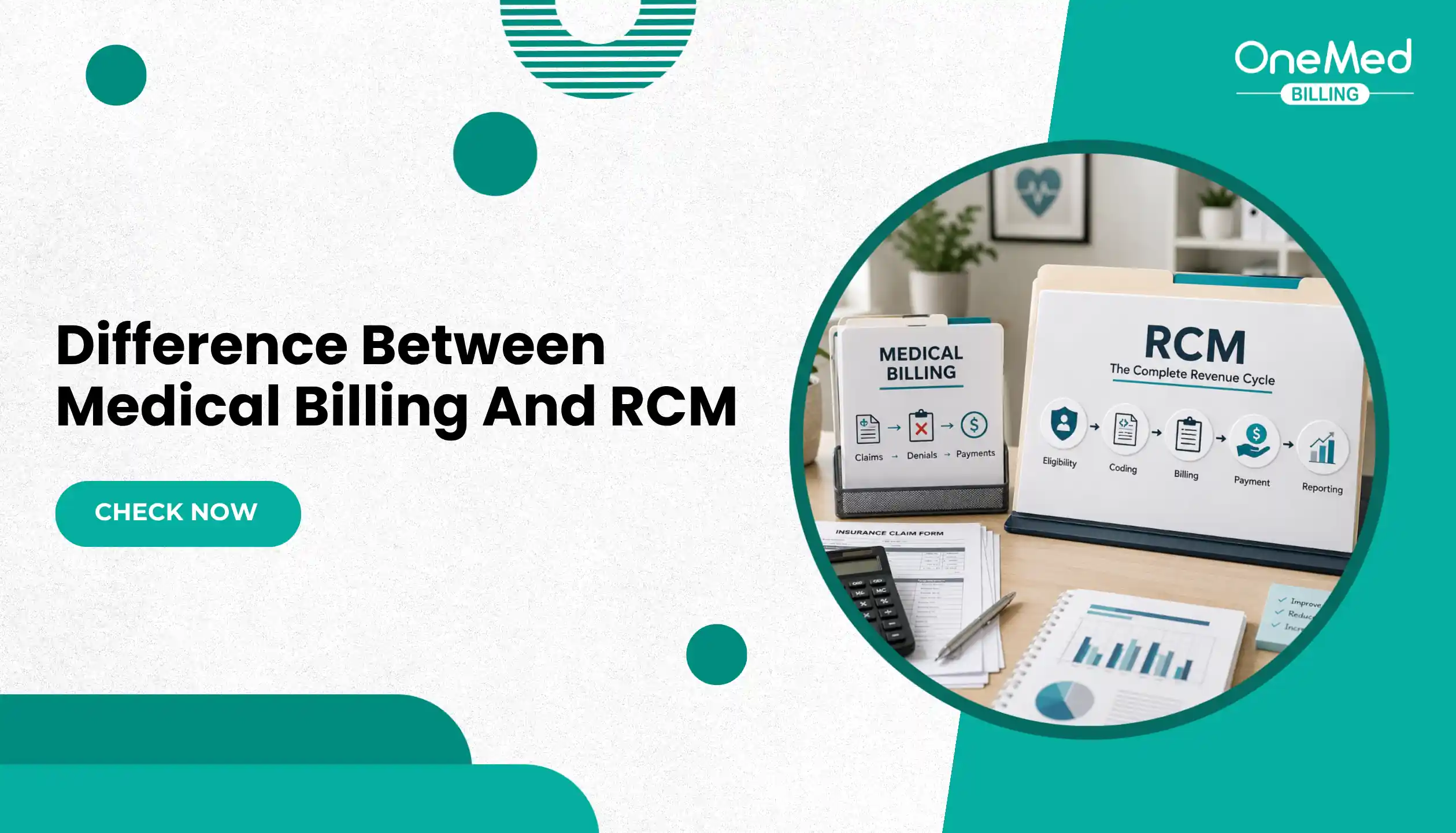
If you are still unclear about the difference between billing tasks and full revenue cycle work, our guide on medical billing vs revenue cycle management explains how both connect and where they differ.
If your team already has a billing platform but still struggles with denials, slow payments, unpaid claims, or A/R follow-up, the issue may not be the software. It may be the daily billing execution behind the software.
You May Need RCM Software If
- Your current system is outdated or hard to use
- Your team cannot track claims, denials, or payments clearly
- Reporting is weak or difficult to access
- Your practice is growing and needs better workflow control
- Your EHR, billing, and patient payment tools are disconnected
You May Need RCM Support If
- Claims are submitted late or incorrectly
- Denials are not being appealed on time
- A/R is increasing
- Payment posting is delayed
- Your staff is overloaded
- You have reports, but no clear action plan
- Your practice uses good software but collections are still poor
Changing software can help, but it may not fix revenue leakage if the billing workflow is still weak. Practices should first review where the problem is happening: eligibility, coding, claim submission, denial follow-up, payment posting, patient collections, or A/R management.
Need Help Managing RCM Inside Your Current System?
Choosing the right RCM software matters, but software alone does not recover revenue. Your practice still needs accurate eligibility checks, clean claim submission, timely rejection handling, denial follow-up, payment posting, and A/R management inside the system you already use.
OneMed Billing works with independent practices across leading EHR, EMR, and practice management systems. Our team handles insurance verification, prior authorization, claim submission, rejection management, denial management, and A/R follow-up within your existing workflow, so you do not have to switch platforms just to improve collections.
If your practice is already using an RCM platform but still dealing with unpaid claims, denials, delayed payments, or aging A/R, the issue may not be the software. It may be the execution behind it.
You cannot control every payer rule or market change, but you can collect more of the revenue your practice has already earned.
Book a free 20-minute RCM review: https://cal.com/onemed-billing/review
Or call (315) 366-8242 or email partners@onemedbilling.com.
Frequently Asked Questions
Find quick answers to common questions about this topic, explained simply and clearly.
What is revenue cycle management software?
Revenue cycle management software helps healthcare practices manage the financial process from patient scheduling and eligibility checks to claims, denials, payments, A/R follow-up, and final collections. In simple terms, it helps practices track how money moves from the patient visit to final payment. HFMA explains RCM as the process healthcare systems use to capture revenue from patient care through final balance payment.
Which revenue cycle management software is best?
The best revenue cycle management software depends on your practice size, specialty, claim volume, budget, and workflow needs. AdvancedMD is a strong fit for growing private practices, Tebra/Kareo and DrChrono work well for smaller practices, NextGen Healthcare and eClinicalWorks are better for specialty or ambulatory practices, while Epic Systems and Oracle Health are better suited for hospitals and health systems.
What is the best software to manage a small practice?
For a small healthcare practice, Tebra/Kareo and DrChrono are often better fits because they support simpler workflows like scheduling, claims, billing, patient records, and payments. Small practices usually do not need heavy enterprise platforms unless they have complex billing, multiple locations, or advanced reporting needs.
What are revenue cycle management companies?
Revenue cycle management companies help healthcare providers manage billing and payment operations. Their services may include eligibility verification, prior authorization, coding, claim submission, denial management, payment posting, A/R follow-up, patient billing, and reporting. RCM software provides the system, while an RCM company provides the team and execution behind the process.