




What Is Electronic Remittance Advice (ERA)?
- Updated Date Sep 3, 2026
- Medical Billing
- Follow
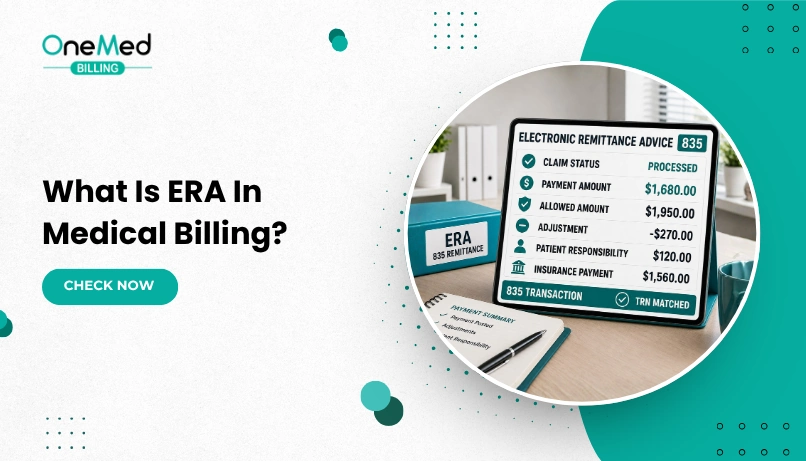
Electronic Remittance Advice, or ERA, is the digital file a payer sends after processing a claim, showing exactly what was paid, denied, or adjusted and why. It replaces the paper Explanation of Benefits with a standardized electronic format that billing software can read and post automatically.
The Standard Behind Every ERA File
ERA is not a loose term insurers use however they like. It follows a federally mandated format called ASC X12 835, officially titled the Health Care Claim Payment and Remittance Advice transaction. HIPAA requires any covered entity, meaning health plans, clearinghouses, and providers, to use this exact format whenever remittance data moves electronically. The CMS Medicare Claims Processing Manual documents the full requirement for Medicare specifically, and the standard applies the same way across commercial payers.
Enrollment to receive ERA files is typically its own setup step with a payer or clearinghouse, separate from claim submission enrollment. A large share of payers also follow CAQH CORE operating rules, which standardize how ERA and its matching EFT payment connect to each other.
How ERA Moves Through the Billing Cycle
An Electronic Remittance Advice enters the billing cycle after a claim has been submitted and processed by the payer. The flow usually works like this:
1. Claim Submission
The provider sends the claim electronically, usually through the 837 transaction format, often through clearinghouses that validate and route it to the right payer.
2. Claim Adjudication
The payer reviews the claim against the patient’s coverage, coding rules, contract terms, and allowed amounts. It then decides whether to pay the claim in full, pay it partially, adjust it, or deny it.
3. ERA Generation
Once the claim is processed, the payer creates an 835 ERA file. This file shows the payment details for each claim and service line, along with any contractual adjustments, patient responsibility, denial reasons, or remark codes.
4. Payment Posting
The ERA is sent to the provider’s practice management or EHR system. If auto-posting is enabled, routine payments and adjustments may be posted automatically. Exceptions, denials, and unmatched payments still require review by the billing team.
The ERA is commonly paired with an Electronic Funds Transfer, which is the actual deposit sent to the provider’s bank account. The ERA and EFT share a trace number in the TRN segment of the 835 file. This allows the billing system to match the remittance details with the correct bank deposit and makes payment reconciliation easier.
What An ERA File Actually Contains?
An 835 file is dense, but four elements carry the bulk of the daily workload:
- Claim Adjustment Reason Codes (CARC) explain why a payment was adjusted, such as a non-covered service or missing information.
- Remittance Advice Remark Codes (RARC) add detail to a CARC, often specifying what needs correcting for reprocessing.
- Group Codes identify who is responsible for an adjustment: PR (patient responsibility), CO (contractual adjustment), OA (other adjustment), and PI (payer-initiated change).
- Service line detail breaks payment down by CPT code, showing billed, allowed, and paid amounts for each line.
A few common codes show up constantly in practice. CO-45 marks a contractual adjustment, meaning the charge exceeded the contracted rate and gets written off. PR-1 marks a patient's deductible responsibility. CO-97 means the service is bundled into payment for another procedure already billed.
ERA Compared To EOB And EDI
ERA gets confused with two related terms, and the distinction matters for anyone new to payment posting. A closer look at what an EOB actually is makes the comparison clearer.
| ERA | EOB | |
|---|---|---|
| Format | Digital, ASC X12 835 | Paper, format varies by payer |
| Speed | Available within hours of payment | Often takes days to arrive by mail |
| Posting | Can auto-post directly into billing software | Requires manual entry |
EDI is the broader category, and ERA sits inside it as one specific transaction type. EDI covers everything from claim submission (837) to eligibility checks (270/271) to remittance (835). ERA is the result that arrives after a claim has already been adjudicated. In short, EDI is the system that moves the data, and ERA is one particular file that system produces.
Where ERA Creates Real Problems?
Automation does not remove every friction point. A few issues come up often enough to plan around:
- Inconsistent formatting across payers. HIPAA sets the 835 standard, but individual payers still vary in which optional fields they populate, which can interrupt auto-posting.
- Missing trace numbers. Without a matching TRN, a payment and its remittance detail have to be reconciled by hand.
- Legacy system gaps. Older practice management systems sometimes cannot fully import 835 files, forcing manual workarounds that defeat the purpose of automation.
- Staff unfamiliarity with codes. A CARC or RARC means nothing if the person reading it does not know what action it calls for, which slows denial management regardless of how fast the file arrived.
Keeping ERA Running Smoothly
- Confirm ERA enrollment is active with each payer and that the clearinghouse is receiving files without duplication.
- Match every ERA to its EFT using the trace number before considering a payment fully reconciled.
- Post ERA files daily rather than letting them accumulate into a backlog.
- Keep a searchable archive of ERA files for audit and appeal purposes.
- Train staff specifically on reading CARC, RARC, and Group Codes, since the file's speed does not help if the codes inside it are misread.
Getting More Value From ERA
ERA does more than replace paper. Done well, it turns payment posting into something that happens automatically instead of something a staff member has to type in line by line. The parts that still cause friction, mismatched trace numbers, inconsistent payer formatting, and codes nobody has time to interpret, are operational problems, not limitations of the format itself. Fixing those is usually a matter of daily reconciliation habits and staff training, and a payment posting team that handles this daily tends to catch mismatches before they turn into a backlog.
Frequently Asked Questions
Find quick answers to common questions about this topic, explained simply and clearly.
Is ERA the same as EFT?
No. ERA explains how a claim was paid. EFT is the actual transfer of funds. They are linked by a shared trace number but are two separate transactions.
Do all payers send ERA files?
Major payers generally do, since HIPAA requires electronic remittance to follow the 835 standard. Some smaller or out-of-network payers may still issue paper EOBs instead.
What does a CARC code actually tell a billing team?
It states the specific reason a claim or service line was adjusted, such as a contractual write-off or a non-covered service, which tells staff exactly what to check before appealing or writing it off.
Can ERA files be converted into a readable format?
Yes. The raw 835 file is not meant to be read directly. Practice management software, clearinghouse portals, or free tools like Medicare's MREP software convert it into a readable, printable format.