

CO-B7 Denial Code: Meaning, Causes and How to Fix It
- Updated Date Sep 8, 2026
- Denial Management
- Follow
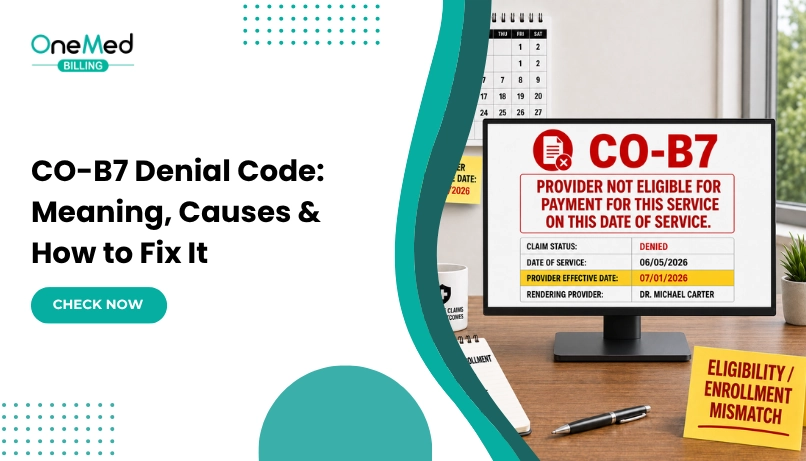
CO-B7 means the payer determined that the provider was not certified or eligible to receive payment for the billed service. It is commonly connected to provider enrollment, credentialing, effective-date, or payer setup issues.
Below, we explain what CO-B7 means in practice, why it happens, how to fix the denial, and how to prevent it from recurring.
What Does CO-B7 Mean?
CO-B7 is used when the payer does not recognize the provider as eligible for payment for the service on the date of service.
This can happen even when the procedure code and other claim details are correct. The issue may involve the rendering or billing provider’s enrollment status, effective date, group affiliation, taxonomy, specialty, or service location.
Why Does CO-B7 Happen?
CO-B7 usually happens when the payer cannot confirm that the provider was properly enrolled, credentialed, or eligible to bill for the service on the date it was performed.
Common causes include:
- Provider enrollment is incomplete or inactive: The payer does not show the provider as active in its system.
- Credentialing is still pending: The provider may have submitted an application but has not yet received final approval.
- The claim was billed before the effective date: The provider may be approved, but the date of service falls before the payer’s effective date.
- Incorrect group or Tax ID linkage: The rendering provider may not be properly connected to the billing group or Tax ID used on the claim.
- NPI or taxonomy mismatch: The provider information on the claim does not match the payer’s enrollment records.
- Service location is not enrolled: The provider may be active, but the location where the service was performed is not linked correctly.
- Provider specialty or service is not covered under the enrollment: The payer may not recognize the provider as eligible to bill that particular service.
The first step is to compare the claim information with the payer’s provider enrollment record and confirm what was active on the date of service.
How to Fix a CO-B7 Denial
A CO-B7 denial should be resolved by checking the provider’s payer enrollment and claim setup before resubmitting anything. Simply sending the same claim again will usually result in another denial.
1. Review the ERA or EOB
Start with the denial details and any accompanying remark codes. These can help identify whether the issue involves provider eligibility, enrollment, specialty, location, or another payer requirement.
2. Verify the Provider’s Enrollment Status
Confirm that the rendering and billing providers were active with the payer on the date of service.
Check:
- Enrollment status
- Credentialing status
- Network participation
- Effective date
- Termination date, if applicable
3. Confirm the Effective Date
Make sure the date of service falls within the provider’s approved enrollment period.
A provider may already be approved today but still receive a B7 denial for services performed before the payer’s effective date.
4. Compare the Claim With Payer Records
Review the provider information on the claim and compare it with what the payer has on file, including:
- Rendering NPI
- Billing NPI
- Tax ID
- Taxonomy code
- Group affiliation
- Practice location
- Place of service
- Provider specialty
Even a small mismatch can cause the payer to treat the provider as ineligible for the service.
5. Correct the Enrollment or Claim Issue
If the payer record is wrong or incomplete, update the enrollment information first. If the enrollment is correct but the claim contains incorrect provider details, correct the claim.
Do not change provider information simply to get the claim paid. The corrected claim should match the actual provider, location, and service performed.
6. Contact the Payer When the Cause Is Unclear
If the provider appears active and all claim information matches, contact payer provider services or claims support.
Ask them to confirm:
- Why B7 was applied
- Which provider record caused the denial
- Whether the provider was eligible on the date of service
- Whether corrected enrollment or claim information is required
- Whether the claim should be corrected, reopened, or appealed
Document the reference number and instructions provided.
7. Resubmit or Appeal the Claim
Once the underlying issue is corrected, follow the payer’s instructions for the next step.
This may involve:
- Submitting a corrected claim
- Requesting claim reopening
- Filing an appeal
- Providing proof of enrollment or effective date
The most important step is to fix the provider eligibility issue first. Resubmitting without correcting the enrollment, effective-date, or claim-information problem will usually lead to the same CO-B7 denial again.
Example of a CO-B7 Denial
A new physician joins a group practice and begins seeing patients before the payer has fully activated the provider under the group’s Tax ID.
The practice submits a claim using the physician’s rendering NPI, but the payer’s system still shows the provider as not active for that group on the date of service. The claim is denied with CO-B7.
To fix it, the practice confirms the provider’s enrollment status and effective date with the payer. Once the provider is correctly linked to the group and active for the date of service, the claim can be corrected and resubmitted according to the payer’s instructions.
How to Prevent CO-B7 Denials
CO-B7 denials are easier to prevent when provider enrollment and claim information are verified before billing begins.
Use this checklist:
- Confirm credentialing and payer enrollment before scheduling insured patients
- Verify the provider’s effective date before submitting claims
- Make sure the rendering provider is correctly linked to the group and Tax ID
- Keep NPI, taxonomy, specialty, and practice location information current
- Update payer records when providers change locations or billing entities
- Track enrollment status for every new provider
- Review recurring CO-B7 denials by payer and provider to identify setup issues early
The key is to verify provider eligibility before the claim goes out rather than discovering the problem after the denial.
Conclusion
CO-B7 denials usually point to a provider enrollment, credentialing, or payer setup issue rather than a routine coding problem. The best way to resolve them is to confirm the provider’s status, effective date, NPI, taxonomy, group linkage, and service location before resubmitting the claim.
If CO-B7 denials are appearing repeatedly, the underlying provider setup should be corrected instead of working the same denial one claim at a time. That principle applies across most denial types, since claim denials in medical billing usually trace back to a workflow gap in eligibility, authorization, coding, or provider setup rather than the individual claim.
If your practice is dealing with recurring CO-B7 or other payer denials, our denial management services can help identify the root cause, manage follow-up, and reduce repeated denial issues.
Frequently Asked Questions
Find quick answers to common questions about this topic, explained simply and clearly.
Does CO-B7 mean the provider is out of network?
Not always. CO-B7 usually means the payer does not recognize the provider as eligible for payment for that service. The cause may be network status, enrollment, credentialing, or provider setup.
Can a CO-B7 denial be appealed?
Yes, if the provider was eligible on the date of service and the denial was caused by incorrect payer records or claim information. Correct the issue first and follow the payer’s appeal or reopening process.
Can CO-B7 be caused by an incorrect effective date?
Yes. If the service date falls before the provider’s approved effective date, the payer may deny the claim with CO-B7.
Should you resubmit a CO-B7 claim before fixing the provider setup?
No. First correct the enrollment, effective date, or claim information that caused the denial. Resubmitting the same claim without fixing the issue will usually result in another denial.